Aaron Kransdorf
Founder & Author of SyncYourDevice, an independent testing resource for Microsoft Phone Link and Link to Windows.

Who I am
I'm Aaron Kransdorf, a curious techy based in Traverse City, Michigan, and the founder and author of SyncYourDevice. I've spent nearly eight years in IT: about three as a technical support analyst at Inacomp TSG, then nearly five as a senior IT systems and mobility engineer at Aunalytics, untangling Bluetooth, driver and pairing problems between Windows PCs and Android and iOS phones.
I started SyncYourDevice.com after getting stuck setting up Phone Link myself, and realizing that if someone who fixes this for a living was struggling with these aka.ms links and pairing screens, plenty of people were struggling far more.
So I decided to document the whole thing properly: run every flow on real devices, break it on purpose to find the failure points, and write down what happens and what fixes it. Today that means five phones and two Windows PCs, across Android, iPhone, Windows 10 and Windows 11, and re-verifying each guide when the apps update.
Beyond the site, I also answer Phone Link questions in the Microsoft Q&A, Apple Stack Exchange and Google Help Community, and report the bugs I find to Microsoft through its feedback channels.
Before that, I was active in Apple's own Support Community for about ten years, until Apple closed it on November 20, 2026, taking my profile and answers there offline with it. Apple Stack Exchange is where I answer iPhone questions now.
How I test
Every setup guide on this site comes from flows I've run myself, in the actual problem environment, not reworded from Microsoft's documentation. Findings I've reproduced are tagged Tested; what I take from official sources without testing is tagged Documented, with the source.
I walk each flow (Android, iPhone, Windows 10 and Windows 11), capture the real on-screen text and menu paths, deliberately trigger the errors people hit, and record what resolves them.
When I report a measurement (battery impact, file-transfer limits, hotspot speed), it's one I measured on my own hardware; I name the tool I used and don't present it as a universal specification.
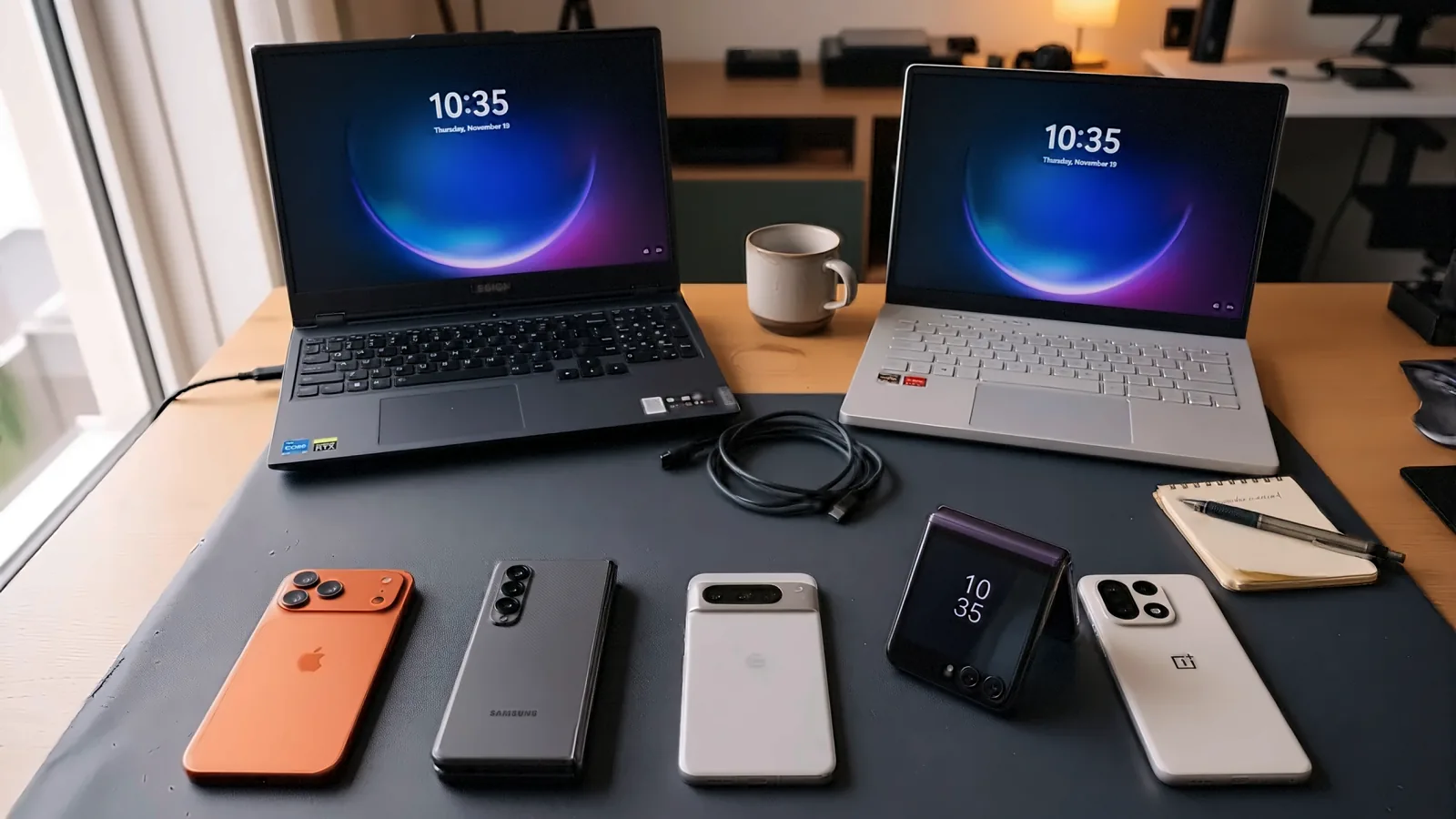
My current test devices:
- iPhone 17 Pro Max (512 GB)
- Samsung Galaxy Z Fold 7 (512 GB)
- Pixel 10 Pro XL (512 GB)
- Motorola Razr Ultra (512 GB)
- OnePlus 15 (512 GB)
- Lenovo Legion 5 (Windows 11)
- ASUS ROG Zephyrus G14 (Windows 10)
Currently tested on: Link to Windows (Android) 1.26101.106.0 · Link to Windows (iOS) 1.26101.20 · Phone Link (Windows) 1.26092.119.0 · verified November 10, 2026.
Background
- Senior IT Systems & Mobility Engineer, Aunalytics, Traverse City · October 2021 to August 2026
- Technical Support Analyst, Inacomp TSG, Traverse City · September 2018 to October 2021
- B.S. in Computer Science, Michigan Technological University · 2018
In both jobs I was the one people brought phone and PC problems to: customers first, and fellow technicians and engineers too. The full work history is on my LinkedIn profile.
Credentials you can check
Since starting SyncYourDevice, I've also worked through Microsoft's, Google's and Apple's own training, to check my guides against how these systems are designed. Every item below links to the issuer's own record of it.
Microsoft Learn
23 learning paths (eight of them Microsoft Intune paths on enrolling, managing and protecting Windows, iPhone and Android devices) and 101 modules as of November 2026, about 76 hours of training; the full list is on my public transcript. The paths closest to Phone Link:
- Windows 11 Pro Accreditation 2026 · October 31, 2026
- Prepare infrastructure for devices using Microsoft Intune and Microsoft Entra ID · November 2, 2026
- Support operational excellence and readiness using Microsoft Intune · November 2, 2026
- Extend endpoint capabilities using Microsoft Intune Suite · November 2, 2026
- Enhance endpoint security with Microsoft Intune and Microsoft Copilot for Security · November 2, 2026
- Deliver cloud-hosted desktops using Azure Virtual Desktop and Windows 365 · November 2, 2026
- Azure Support Engineer for Connectivity Specialty · November 13, 2026
The Intune and Entra ID paths cover how organizations manage work PCs and phones: the side behind "Phone Link has been blocked by your system administrator" (work & school accounts, and the work-PC question).
Google: Android Enterprise Academy
- Android Enterprise Expert · November 16, 2026
- Android Enterprise Professional · November 16, 2026
Android Enterprise covers how companies set up and manage Android phones, work profiles included. Phone Link runs only on a phone's default profile (what that means for pairing).
Apple
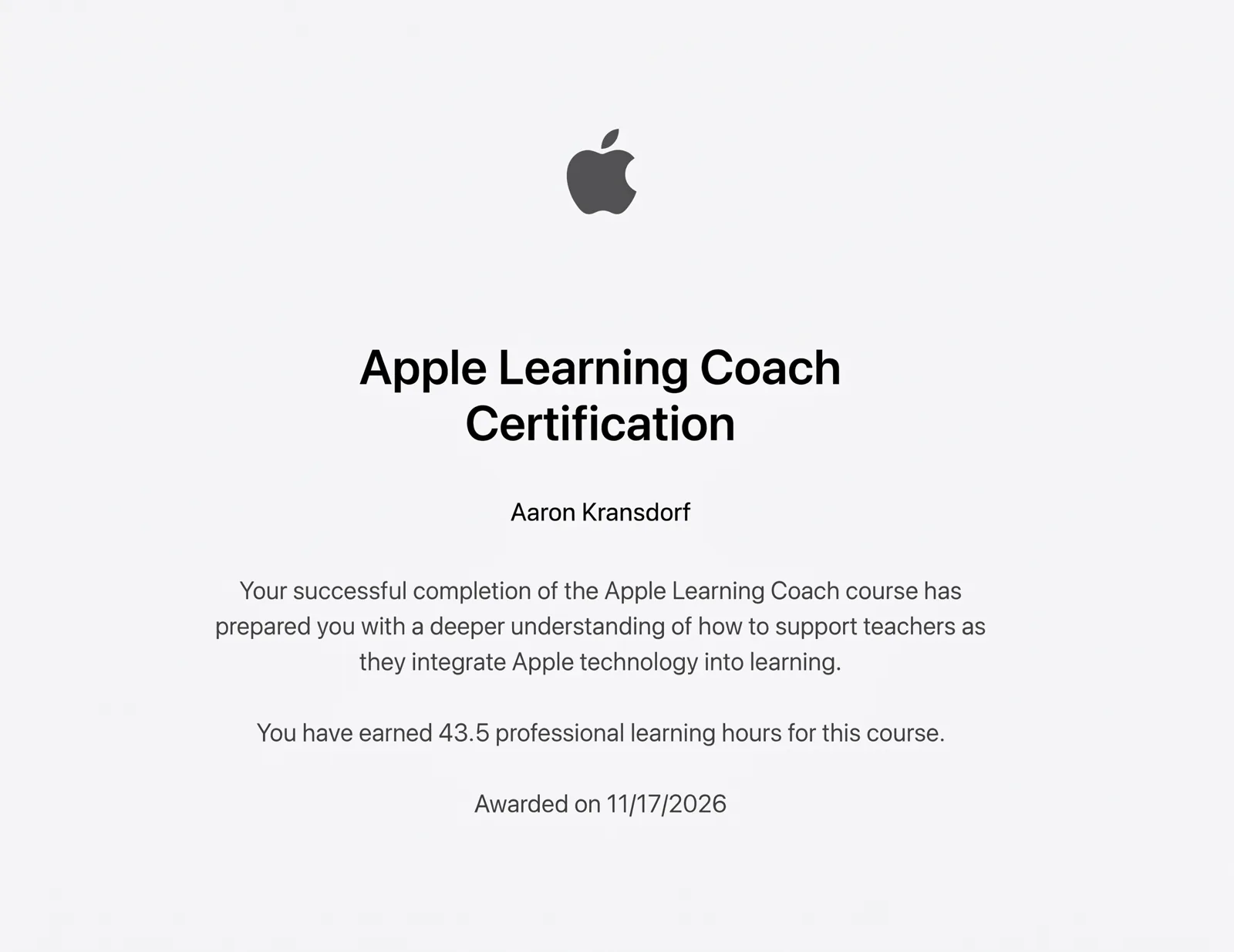
Apple Learning Coach Certification · November 17, 2026: 43.5 professional learning hours on supporting teachers as they integrate Apple technology into learning.
LinkedIn Learning
- Supporting Windows, macOS, and Mobile Devices in the Real World, by Pearson
- Working Across Mac, PC, and Mobile Devices
What each one is: the Microsoft paths are self-paced training with knowledge checks, not Microsoft's exam-based certifications. The two Google awards each end with a graded assessment. Apple's certification and the LinkedIn certificates come from completing their courses. What the guides rest on is still the testing above.
My sourcing standards
- My own hands-on testing is the first-hand source for the guides, and anything I've tested is tagged Tested.
- Official Microsoft documentation and articles are used to confirm how features are intended to work. Facts I take from them without testing are tagged Documented, with the source.
- Reader reports and forum threads point me at things to test. When I can reproduce something, it becomes a tested finding; when I can't but the reports are consistent, I publish it as a user report and say so.
- Reports I file with Microsoft when I hit something broken. The page says a report is open, and I update it when Microsoft answers.
So every claim here is either tested by me or labeled with where it came from. Steps that involve system-level changes carry a clear warning. When the apps change (and they change often), I update the guides and the "verified" date.
Independence
SyncYourDevice.com is an independent resource. It is not affiliated with, authorized by, or endorsed by Microsoft (or Samsung or Apple). Phone Link and Link to Windows are Microsoft products and trademarks of their respective owners. No ads on the site, no sponsors, no affiliate links. The site pays for some Google and Bing search ads to reach readers. For official support, see Microsoft's Phone Link support.
Guides written by Aaron
Reach me anytime via the contact page, at [email protected], or the profiles above.